CNC Stone Engraving Machine Maintenance & Troubleshooting Guide
lizzy·Nov 13, 2025·5 MIN READ
lizzy·Nov 13, 2025·5 MIN READ
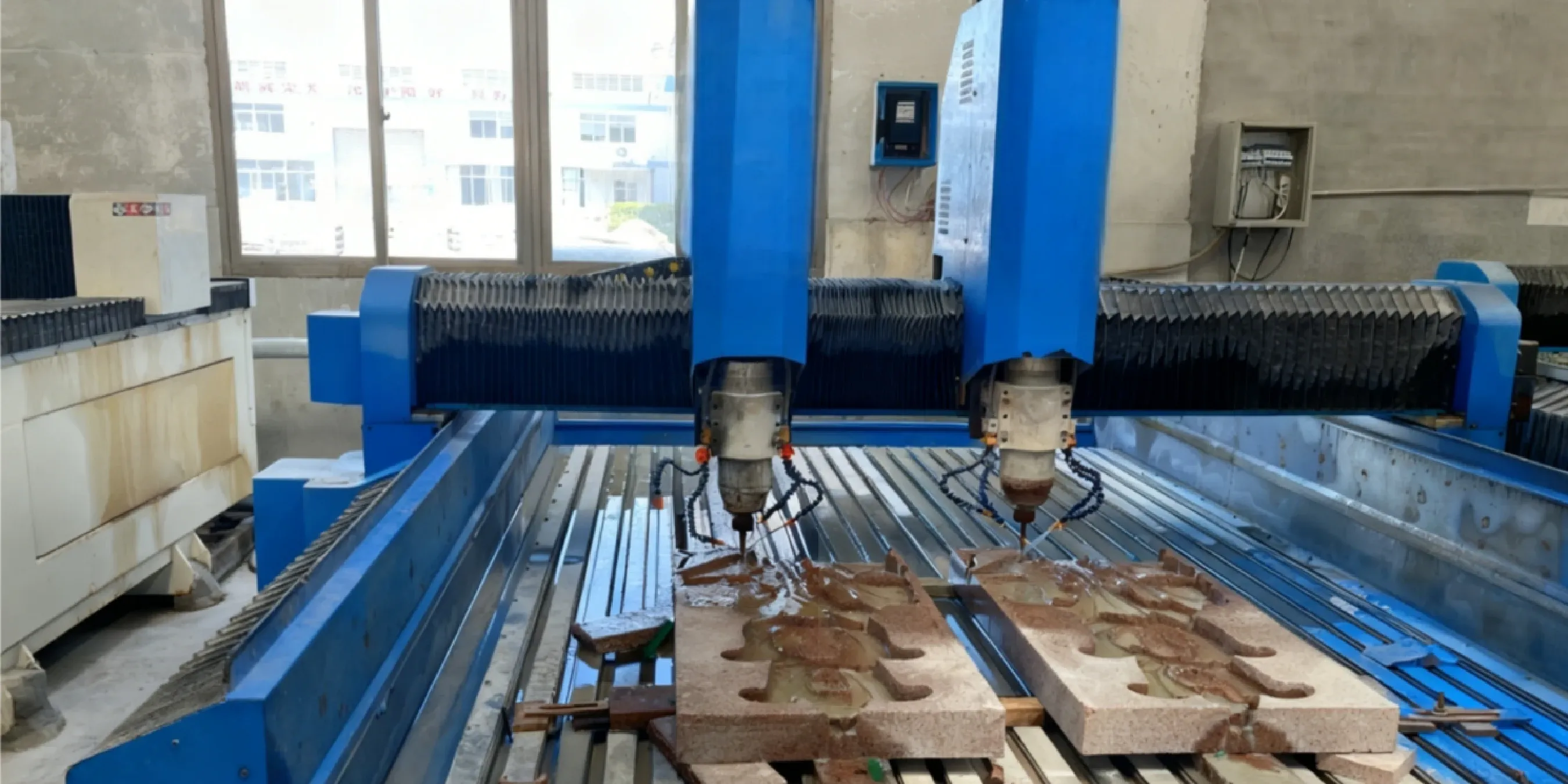
Maximize your stone engraving CNC machine's uptime with our guide. We cover daily maintenance checklists, troubleshooting, and operator safety best practices
TL;DR: The Operator's Cheat Sheet
Daily Checks are Non-Negotiable: Clean the stone engraving machine of dust/slurry and check coolant flow before every shift. This prevents 90% of common problems.
Troubleshooting is Systematic: For poor quality, check the tool first, then speeds/feeds, then mechanical looseness. Don't guess.
Safety First, Always: Wet cutting and NIOSH-approved respirators are mandatory to control hazardous silica dust.
Lubrication is Key: Weekly lubrication of linear guides and ball screws is critical for maintaining accuracy and preventing premature wear.
Running into a problem you can't solve? Our service team is here to help. Contact technical support for expert assistance.
Standard Operating Procedure (SOP) Checklist
Startup: Power on machine, home all axes, check VFD for errors, ensure coolant pump is active.
Tool Changeover: Clean spindle taper and collet, properly seat the new tool, and minimize stick-out.
Calibration Check: Before critical jobs, touch off the tool to verify Z-height. Run a small test piece if unsure.
Lubrication: Apply grease to linear guides and ball screws weekly or per the manufacturer's 40-hour schedule.
Consumables Check: Inspect diamond tools for wear or chipping. Check coolant level and clarity.
Safety Checks: Test the E-stop button. Ensure all safety guards are in place. Confirm dust/slurry collection is active.
How Do You Troubleshoot the Top 5 Common Problems?
Even with perfect maintenance, issues can arise. Here’s a quick guide for diagnosing and fixing the problems you're most likely to encounter with stone engraving equipment.
1. Re-seat tool
2. Re-level machine frame
3. Contact support for replacement
Clean collet/holder during tool changes. Check level monthly.
Parameter Calibration & Periodic Maintenance
Use this schedule as a baseline and adjust for your usage levels.
Daily
Clean dust/slurry from all surfaces.
Check coolant flow and level.
Inspect tool for visible wear/damage.
Weekly
Lubricate linear guides and ball screws.
Clean coolant tank and filter.
Check drive belts for tension.
Monthly
Check machine level and tram.
Inspect all wiring for secure connections.
Backup controller parameters.
Safety First: What PPE and Practices Are Required?
Let's be clear: Safety is non-negotiable. Stone carving generates respirable crystalline silica, a hazardous dust that can cause serious lung disease. Adhering to safety protocols isn't just a good idea—it's mandatory.
WARNING: Compliance is Required
According to the OSHA Respirable Crystalline Silica standard , employers are legally required to limit worker exposure. This includes implementing engineering controls and providing appropriate Personal Protective Equipment (PPE).
Engineering Controls: Always use the machine's wet cutting system. This is your primary method for suppressing dust at the source. Source: NIOSH wet cutting guide.
Respiratory Protection: Operators must wear a properly-fitted, NIOSH-approved respirator (e.g., N95 or higher) when working near or cleaning up stone dust.
Other PPE: Safety glasses with side shields, waterproof boots, and hearing protection are also essential.
Frequently Asked Questions (FAQ)
How do I calibrate the machine for accuracy?
Machine calibration, or "tramming," is typically done by a technician during installation, but you can perform routine checks.
Context: Tramming ensures the spindle is perfectly perpendicular to the worktable, which is critical for accuracy.
Parameters: You can check for squareness using a dial indicator mounted to the spindle.
Risk: If the machine is out of tram, do not attempt to adjust it yourself without experience, as incorrect adjustments can worsen accuracy.
Next Step: Consult the machine manual or contact technical support for guidance. Our technical principles guide has more on this topic.
What is the best type of CNC tool for granite carving?
For granite, you must use sintered diamond tools.
Context: These tools have diamond particles fused into a durable metal matrix, which is necessary to withstand the abrasiveness of granite.
Parameters: For detailed engraving, use a smaller diameter tool with a fine grit. For roughing or bulk material removal, use a larger, more aggressive tool with a coarse grit.
Risk: Using the wrong tool type (e.g., a tool meant for wood or soft metal) will result in immediate tool destruction and poor results.
How often should I clean the water circulation tank?
You should clean it at least weekly, or more often depending on usage.
Context: During operation, abrasive stone slurry builds up in the tank. If not removed, this slurry gets recirculated through the system.
Risk: Recirculated slurry can clog coolant lines (starving the tool of coolant) and cause premature wear and failure of the water pump, leading to costly downtime.
Next Step: Integrate this task into your weekly maintenance schedule. The process involves draining the tank, removing the sediment, and refilling with clean water.
Do I need to update the machine's software?
Generally, no for the machine controller, but yes for your design software.
Machine Controller: You should not update the CNC controller's firmware unless specifically instructed by the manufacturer to fix a known bug. Unauthorized updates can cause serious compatibility issues.
CAM Software: Your CAM software (e.g., Aspire, ArtCAM) should be kept up to date. Updates often provide new features, bug fixes, and more efficient toolpath strategies that can improve your workflow.
Can I operate the stone art machine unattended?
No, we do not advise leaving the machine completely unattended for long periods.
Context: While the CNC automates the cutting process, unforeseen issues can occur. An operator should always remain in the vicinity of the machine.
Risks: Potential issues include tool breakage, the workpiece shifting, or unexpected coolant flow problems. An attentive operator can stop the machine immediately, preventing damage to the workpiece, tool, or machine.
Boundary: This is especially critical when running a new program for the first time or when working on a complex, high-value piece.
What are the signs that my spindle bearings are failing?
The two primary signs of failing spindle bearings are increased noise and excessive heat.
Symptoms: Listen for a new grinding, rattling, or whining sound coming from the spindle during operation. You may also notice a sudden decline in the surface finish quality of your engravings or that the spindle housing is unusually hot to the touch.
Risk: Continuing to operate a spindle with failing bearings can lead to catastrophic failure, which is far more expensive to repair than replacing the bearings early.
Next Step: If you suspect bearing failure, stop using the machine immediately and contact our service department for diagnosis and to schedule a replacement.




 English
 中文
中文 Italian
 Português
 Español
 Deutsch
 العربية
 Tiếng Việt
 Français
 Русский






 Nov 13, 20255 MIN READ
 Standard Operating Procedure (SOP) Checklist
 Türkçe