
Your complete guide to operating and maintaining a CNC diamond wire saw. Find SOPs, troubleshooting tips for the top 10 issues, and a preventative maintenance schedule.
TL;DR: Maintenance Essentials

  • Daily Checks are Key: Before startup, always inspect the diamond wire, clean guide pulleys, and verify safety guards are in place to prevent unexpected downtime.
  • Master Troubleshooting: Learn to diagnose common issues like frequent wire breakage (check tension and feed rate) and poor finish (check wire vibration) to resolve problems quickly.
  • Follow a Schedule: Adhering to a preventative maintenance schedule for daily, weekly, and monthly tasks drastically extends diamond wire saw machine life and ensures consistent cutting quality.

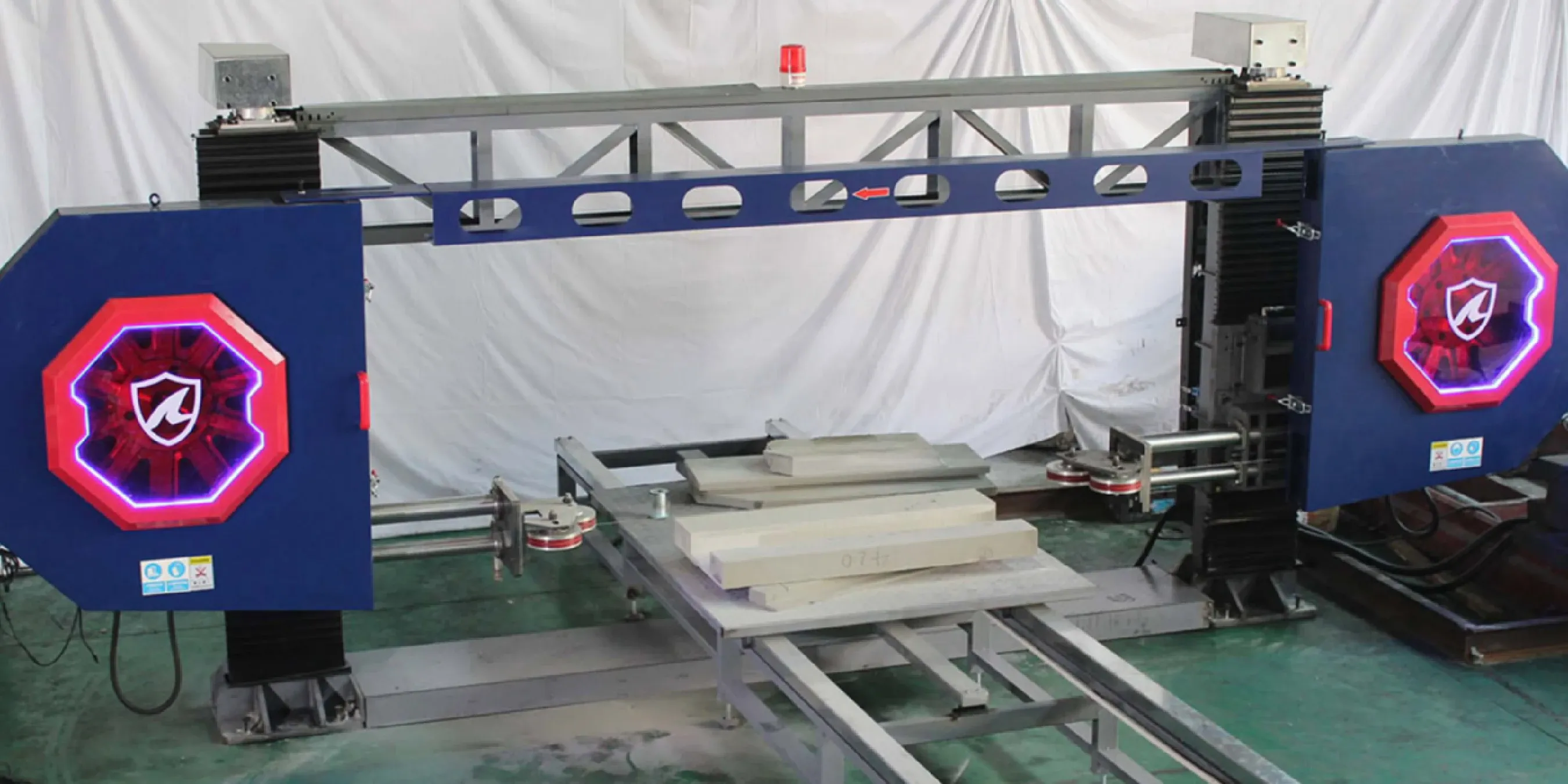
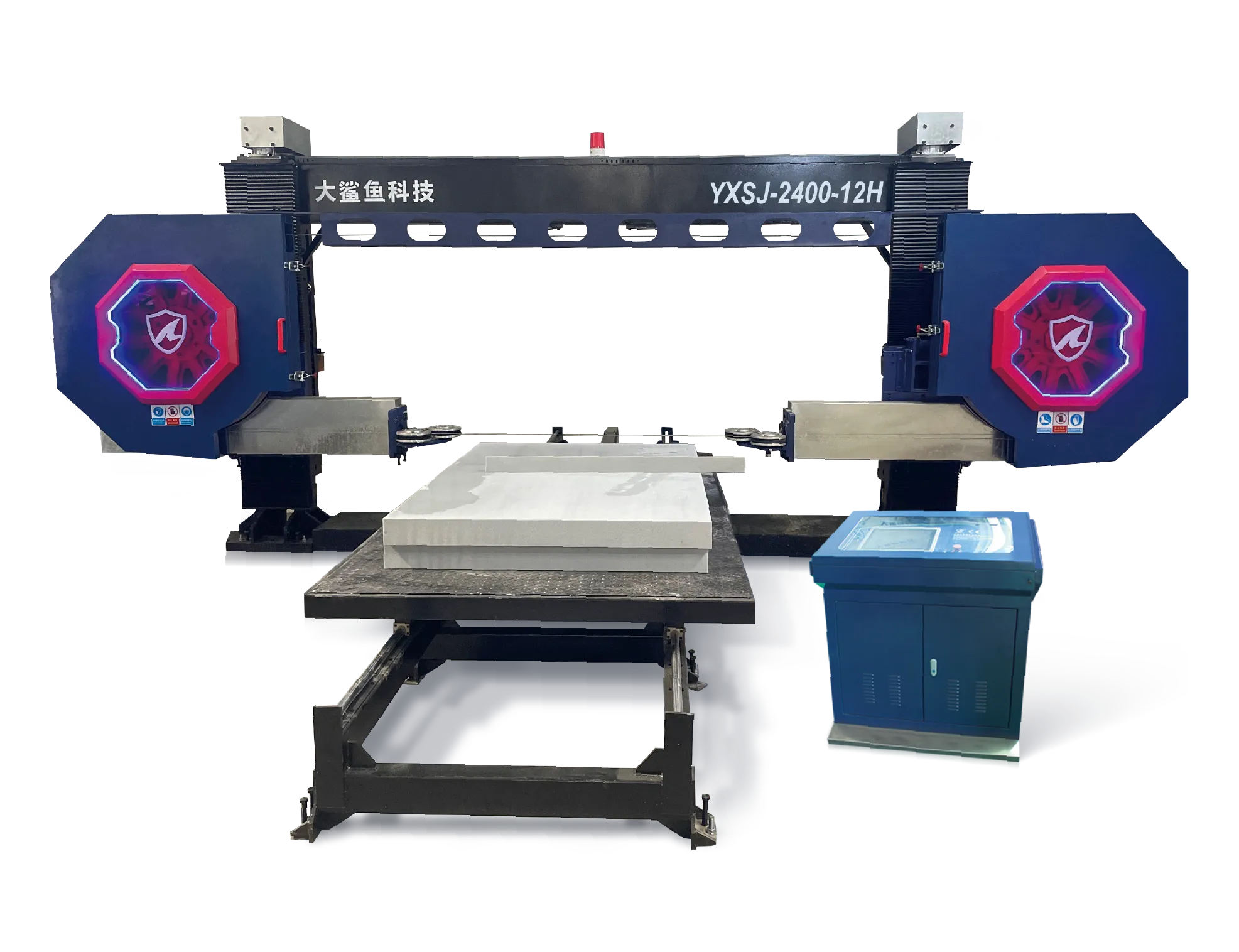
智能物联发泡陶瓷绳锯机@4x.webpSOPs for CNC Diamond Wire Saw

  • Daily Power-Up & Safety Checks
    1. Verify emergency stop buttons are functional.
    2. Ensure all safety guards are in place and secure.
    3. Check for any visible damage to the diamond wire or guide pulleys.
    4. Power on the machine and allow the CNC system to initialize.
  • Wire Changeover & Consumable Replacement
    1. Power down and perform Lockout/Tagout procedures.
    2. Release wire tension and carefully remove the old wire loop.
    3. Clean all guide pulley grooves to remove accumulated debris.
    4. Install the new wire, ensuring it is correctly routed through all pulleys.
    5. Apply the correct wire tension as per the material specifications.
  • End-of-Day Shutdown & Cleanup
    1. Clean all ceramic dust from the worktable and machine surfaces using a HEPA vacuum.
    2. Wipe down guide pulleys and inspect for wear.
    3. Power down the machine according to the manufacturer's procedure.

14@1.5x.webpTop 10 Troubleshooting for CNC Stone Cutting Machine (ceramic cutting)

Symptom
Likely Cause
Diagnostic Step
Solution
Frequent Wire Breakage
Incorrect wire tension; excessive feed rate; worn pulleys.
Check tension value in CNC. Inspect pulley grooves for sharpness.
Calibrate tensioner. Reduce feed rate. Replace worn pulleys.
Poor Surface Finish
Wire vibration; incorrect wire speed; wrong diamond grit.
Observe wire during a test cut. Check parameter settings.
Check pulley alignment. Adjust wire speed. Use a finer grit wire.
Dimensional Inaccuracy
CNC calibration drift; loose workpiece; mechanical backlash.
Run calibration routine. Check clamping force. Manually check axes for play.
Recalibrate machine. Secure workpiece. Schedule service for mechanical adjustment.
Scoring or Burn Marks
Insufficient cooling (water flow); feed rate too high for material hardness.
Check coolant/air flow. Review material-specific parameters.
Ensure cooling system is active. Reduce feed rate.
Alarm on CNC Controller
Limit switch triggered; servo motor error; program error.
Read the specific alarm code on the screen. Check physical axis positions.
Reset alarm. If persistent, refer to the manual for the specific code.
Wire Wandering/Deflection
Low wire tension; misaligned guide pulleys; worn wire
Verify tension in CNC; run a straight‑line test cut; check pulley co‑planarity with a straightedge
Set tension within spec; realign pulleys; replace wire loop
Excessive Kerf/Material Loss
Incorrect wire diameter/grit; aggressive feed rate; unstable workpiece
Measure kerf width; confirm wire spec (3–4 mm typical for foamed ceramics); check clamping
Switch to appropriate wire (3–4 mm, finer grit); reduce feed; improve fixturing
Coolant/Slurry Overflow or Clogging
Screens blocked; pump flow low; settling tank full
Inspect intake screens and hoses; check pump flow rate; inspect sump/tank level
Clean/replace screens; restore flow; flush settling tank and clear hoses
Wire Not Tracking/Jumping Off Pulley
Damaged pulley groove/crown; incorrect wire routing; debris in groove
Visual check routing; hand‑rotate pulleys; inspect groove wear and contamination
Re‑route wire correctly; replace damaged pulley; clean grooves thoroughly
Program Stops Mid‑Cut
G‑code path error; limit switch reached; sensor/guard interlock triggered
Review alarm/log; simulate a dry‑run; verify work envelope and guard status
Correct the program; adjust path within limits; reset interlock/sensor and re‑test

Preventative Maintenance for CNC Diamond Wire Saw 

Daily Checks

  • Clean work area and surfaces.
  • Inspect diamond wire for damage.
  • Empty slurry sump/bin; check coolant flow.
  • Test safety interlocks.

11@1.5x.webpWeekly Checks

  • Inspect guide pulleys for wear.
  • Check wire tensioner mechanism.
  • Lubricate designated points.
  • Clean/replace slurry screens or filter bags; flush settling tank.

Monthly Checks

  • Run machine calibration routine.
  • Inspect all electrical connections.
  • Check drive belts for tension and wear.

Quarterly Checks

  • Backup CNC parameters.
  • Full mechanical inspection.
  • Review service logs for recurring issues.

Field Tips: Improve Wire Speed & Feed Rate in Stone Cutting

  • Listen to the Machine: Experienced operators can often hear subtle changes in the machine's sound that indicate issues like a wearing pulley bearing or improper wire tension before they cause a failure. As one veteran operator on a forum noted, "The moment it starts to 'sing' differently, I check the tension." Explore forums like the Top 7 Stone Fabricator Forums for CNC Technical Support to learn from peers.
  • Don't Push the Wire: It's tempting to increase the feed rate to finish a job faster, but this is the primary cause of premature wire wear and breakage. A slower, consistent feed rate produces a better finish and improves the overall cost-effectiveness by extending the life of your consumables. Understanding How Diamond Segments Control Blade Life can provide useful insights into tool wear, even for wires.

15@1.5x.webpSafety & Compliance: OSHA Silica, NIOSH Dust for Ceramic Cutting

Safety is non-negotiable. Operating the machine requires strict adherence to safety protocols.
  • Ceramic Dust Hazards & PPE: Cutting foamed ceramics generates fine dust containing respirable crystalline silica, a known carcinogen. A dedicated dust extraction system (HEPA vacuum) is mandatory. All personnel in the area must wear appropriate Personal Protective Equipment (PPE), including N95/P100 respirators, safety glasses, and gloves. Adhere to the OSHA silica standard and consult the NIOSH dust control handbook for best practices.
  • Electrical & Mechanical Safety: Always use Lockout/Tagout (LOTO) procedures before performing any maintenance. Keep all machine guards in place during operation. Know the location of all emergency stop buttons and ensure they are never obstructed.

Frequently Asked Questions (FAQ)

How often should I calibrate the machine?

A quick daily calibration check is recommended, with a full geometric calibration performed monthly.
  • Context: Daily homing of the axes ensures the machine knows its starting position. A full monthly calibration compensates for any minor mechanical drift over time, ensuring part accuracy is maintained.
  • Procedure: The daily check is typically an automated homing cycle. The full calibration is a more involved routine that should be performed whenever you notice dimensional inaccuracies in finished parts.
  • Next Step: Add a "Monthly Calibration" task to your preventative maintenance schedule.

What type of lubrication should I use?

Always use the specific type of grease or oil recommended in the manufacturer's manual.
  • Context: Using the wrong lubricant is a common mistake. Incorrect types can attract abrasive ceramic dust, forming a grinding paste that causes premature wear on linear guides, ball screws, and bearings.
  • Procedure: Follow the manual's guidance for lubricating all designated points on the machine's motion system components.
  • Next Step: Establish a weekly lubrication schedule for all key components as part of your routine maintenance.

My cuts are not straight. What is the first thing to check?

The first and most common cause of non-straight cuts is incorrect diamond wire tension.
  • Context: If the wire tension is too low, the wire can easily deflect or "walk" as it moves through the material, resulting in a curved or slanted cut instead of a straight line.
  • Procedure: First, verify in the CNC controller that the tension is set to the correct value for the wire and material. Second, physically inspect the tensioning mechanism to ensure it is functioning correctly and not stuck.
  • Next Step: If tension is correct, the second thing to check is the alignment of the guide pulleys, as misaligned pulleys can also cause the wire to deflect.

How do I maintain the water-cooling slurry management system?

Maintain screens, settling tanks, and filter bags to keep slurry flow and capture effective.
  • Context:Water cooling creates a slurry of ceramic particles and coolant that must be continuously managed to prevent it from clogging the system or contaminating the work area.
  • Procedure:On a regular schedule, inspect and clean primary intake screens. Periodically flush settling tanks to remove accumulated solids. Replace disposable filter bags or clean reusable filter media as recommended by the system manufacturer.
  • Next Step:Wastewater/slurry treatment is out of machine scope. Hand off to facility’s environmental management per site policy; vendor can provide a treatment solution upon request.

What's the best way to secure a block of foamed ceramic to the worktable?

A combination of mechanical clamps and custom support fixtures is the most reliable method.
  • Context: It is critical that the block is perfectly stable and does not move or vibrate during the cut, as any movement will ruin the accuracy of the finished part.
  • Procedure: Use standard machine table clamps to hold the base of the block. For tall or unusually shaped blocks, use simple wooden or foam support jigs to brace the sides and prevent any rocking or tipping.
  • Next Step: Before starting the cut, manually try to push the block from different directions to ensure it is completely immobilized.

Can I run the machine unattended?

While highly automated, running the machine completely unattended for long periods is not recommended.
  • Context: Unforeseen issues, such as a wire breaking or a program error, can occur. An unattended machine could lead to material damage or unnecessary downtime.
  • Procedure: An operator should always remain in the vicinity of the machine to monitor the process and respond to any alarms or unexpected sounds, especially when starting a new job or using a new wire.
  • Next Step: For "lights-out" operation, consider investing in advanced monitoring options like remote alerts or automatic shutdown sensors if offered by the manufacturer.